Bridge assets from Flare
Choose a verified route, review a live quote, sign safely and track delivery to the destination network.
Last updated: Jul 19, 2026
The Bridge moves supported assets from Flare to a verified destination network. It is non-custodial: FTSOBest prepares and verifies the route, but your assets stay in your wallet until you approve and sign the on-chain transactions.
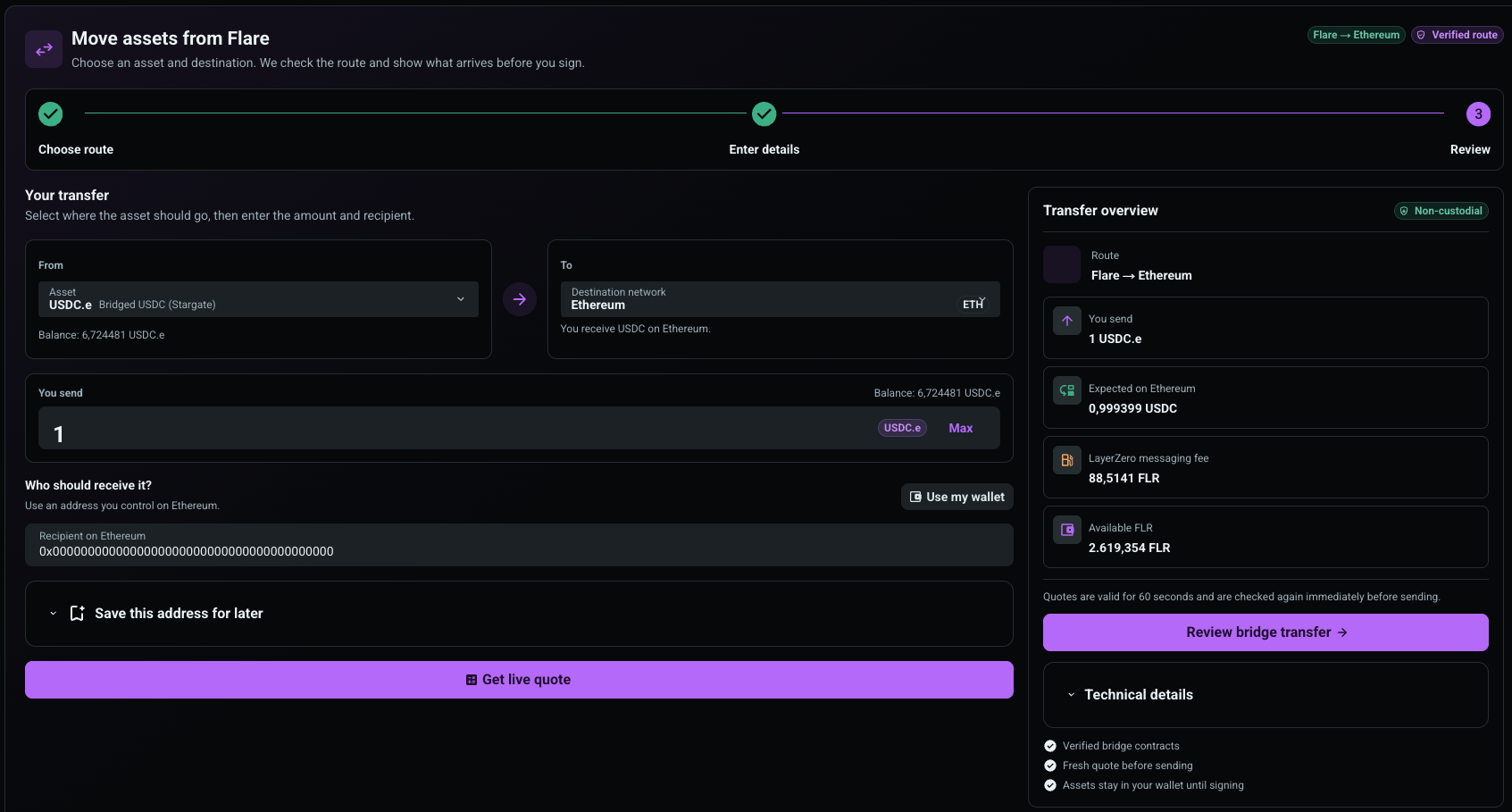
- Open Wallet Center and select Bridge.
- Connect your wallet and make sure Flare is selected.
- Open the asset selector and choose the asset you want to move.
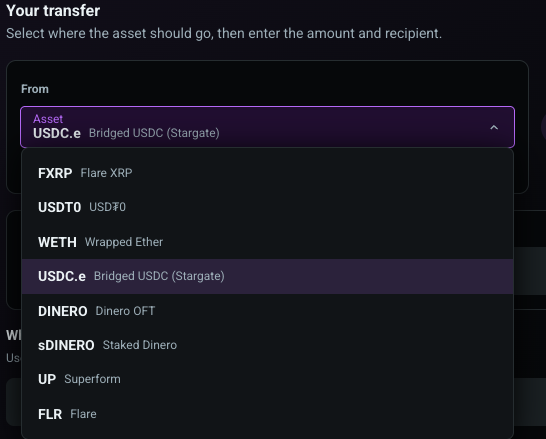
FTSOBest currently supports FXRP, USD₮0, WETH, USDC.e, DINERO, sDINERO, UP and native FLR. Each asset has its own verified bridge contract and destination list; not every asset can go to every network.
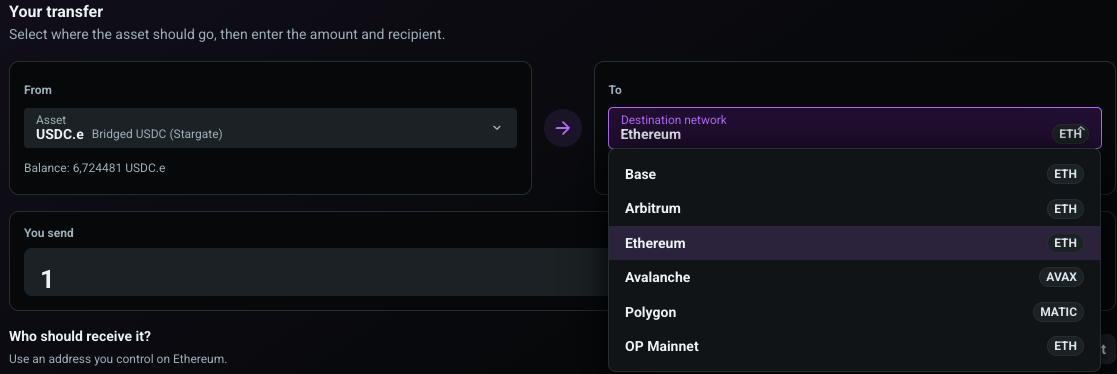
Open the destination selector. The list changes with the selected asset and only displays routes enabled for that asset.
Enter the amount or use Max. Add an EVM address you control on the destination network. Use “Use my wallet” when the same connected address should receive the assets. You can optionally save a trusted address with a label for later transfers.
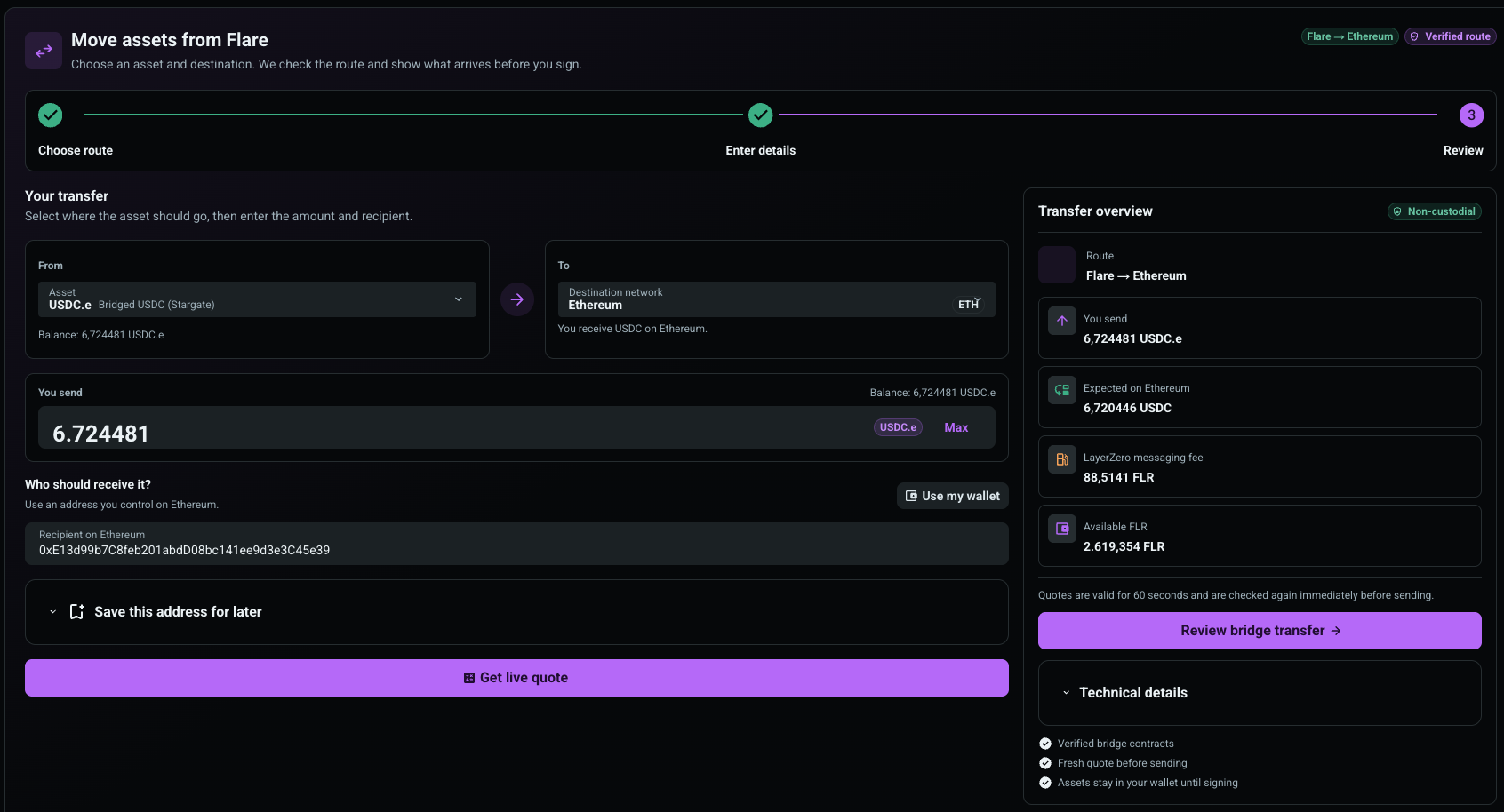
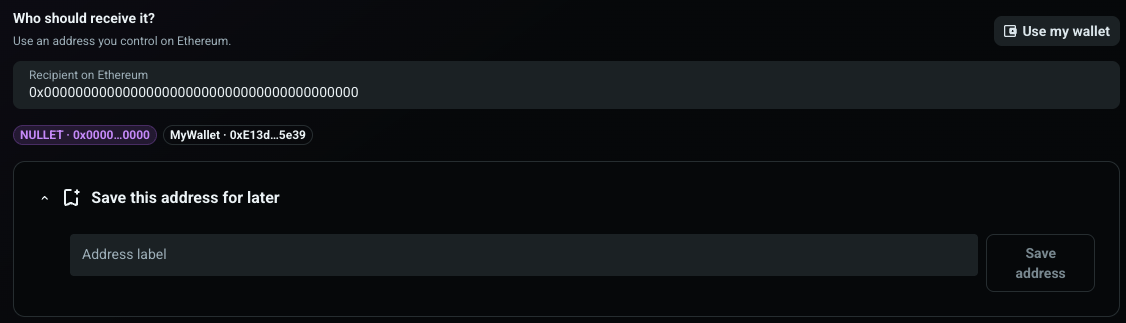
Never use a deposit address or contract address unless the receiving service explicitly confirms that it supports this exact asset and destination route.
Select “Get live quote”. FTSOBest reads the bridge contracts on Flare and shows:
- the route and destination asset;
- what you send and the expected amount after bridge deductions;
- the LayerZero messaging fee in FLR;
- your available FLR for gas and messaging fees.
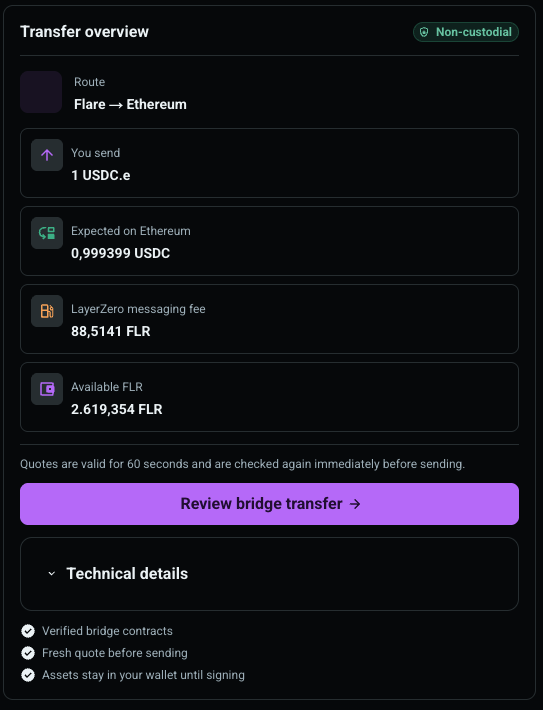
Quotes are valid for 60 seconds and are checked again immediately before sending. A changed fee or lower destination amount returns you to review instead of silently continuing.
Choose “Review bridge transfer” and compare every value with your intent. FXRP, WETH and USDC.e can require an ERC-20 approval when the allowance is insufficient. FTSOBest requests only the exact selected amount. Other supported assets can use a transport that does not need a separate ERC-20 approval.
After any approval is confirmed, FTSOBest refreshes the quote, simulates the bridge call and then asks your wallet to sign the transfer. No write is retried automatically.
After the Flare transaction is confirmed, the transfer appears under “Recent bridge transfers”. Pending transfers continue updating after a page reload. The entry links to the source transaction, LayerZero Scan and—when available—the destination transaction.

Delivery is asynchronous. A confirmed Flare transaction can still need time for LayerZero verification and execution on the destination chain.
- Keep enough FLR for the LayerZero messaging fee and Flare gas.
- Verify the asset, destination network, recipient, expected output and wallet prompt before every signature.
- If no route appears, that asset/destination pair is not enabled or its live quote is unavailable.
- If a quote expires, load a new quote; do not rely on the old amount or fee.
- If delivery is still pending, use LayerZero Scan first. Do not send the transfer a second time only because the destination balance has not updated yet.
- Bridge history is stored per signed-in wallet and environment. A local development transfer does not appear in the live-site history, and the reverse is also true.