FLR Staking with FTSOBest
How to read the staking page, move FLR to your staking wallet, choose a validator and follow active stakes.
Last updated: Jul 13, 2026
The staking page brings the important balances into one place: FLR in your wallet, FLR ready for staking, and FLR already locked in active stakes. The badges at the top show whether the staking network is reachable and whether you have enough staking-wallet FLR for the 50K minimum.

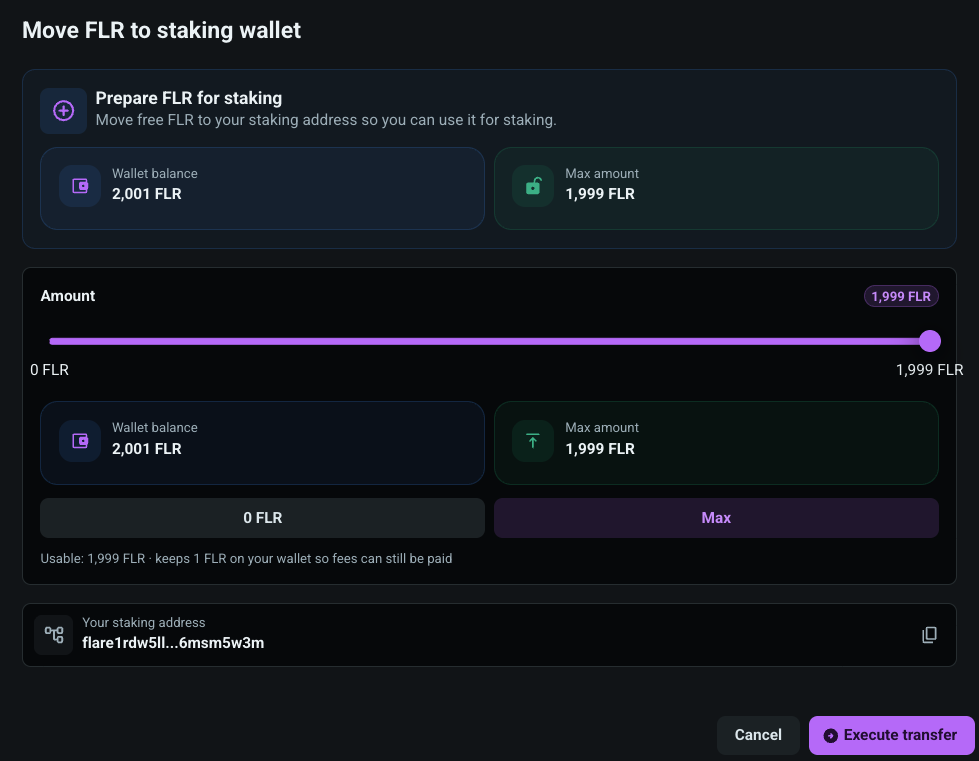
Before FLR can be staked, it must be available on your staking address. Use Deposit FLR to move free FLR from your wallet to the staking wallet. The slider uses whole FLR values and the maximum is rounded down so the app keeps a fee reserve on your wallet.
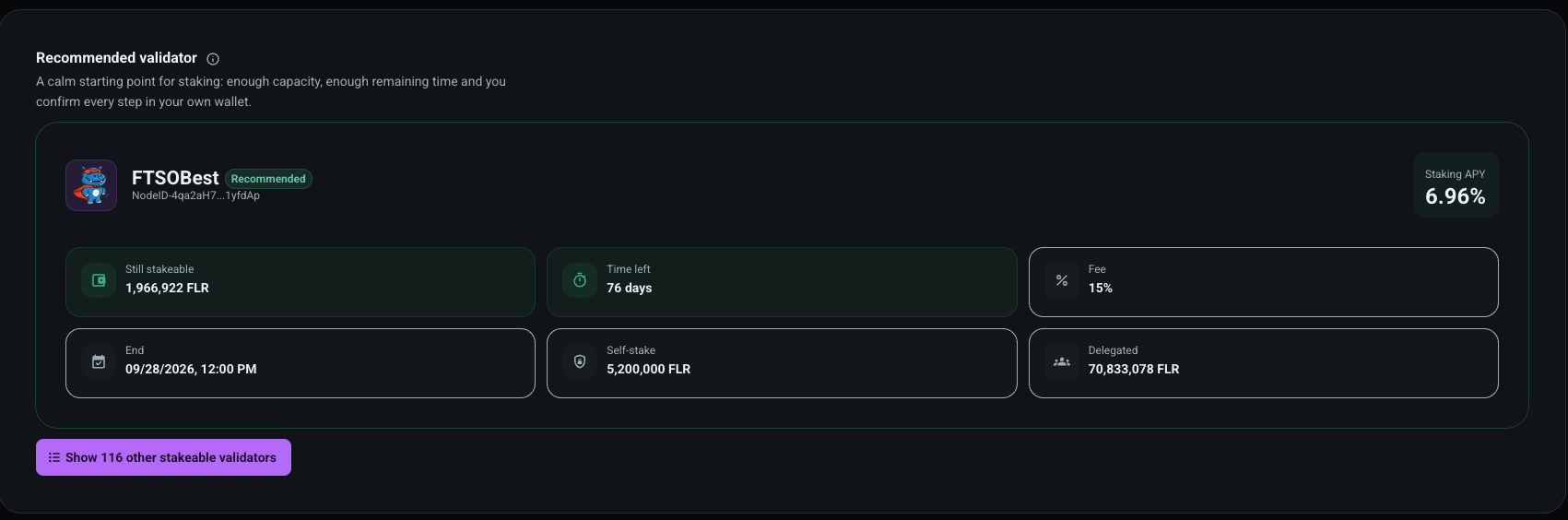
FTSOBest highlights a recommended validator as a calm starting point. The card shows available capacity, remaining time, fee, validator end date, self-stake, delegated amount and APY. You still confirm every step in your own wallet.
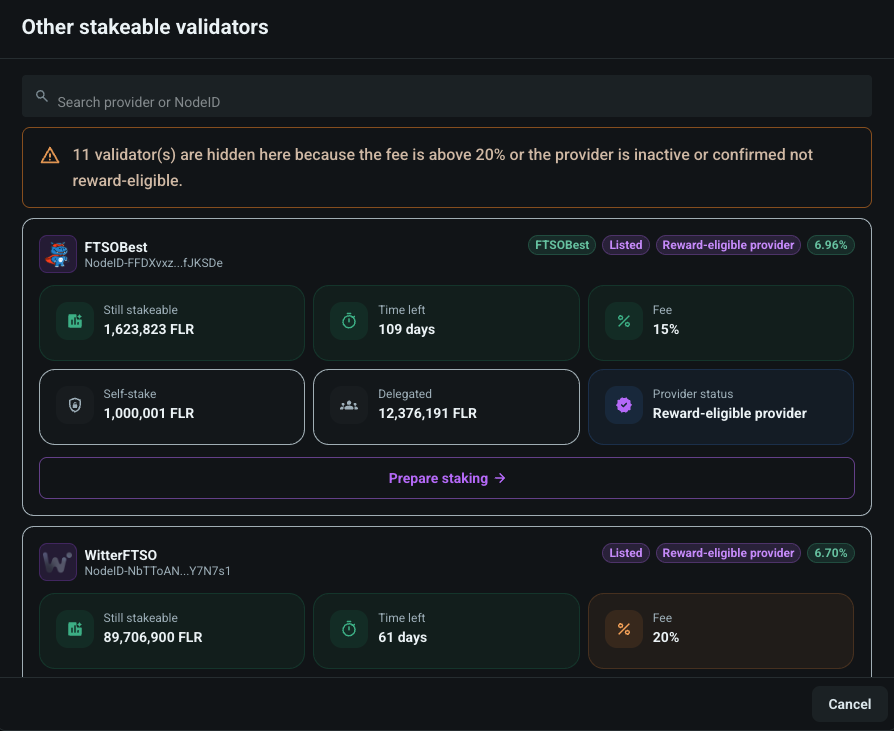
You can also open the validator list and search by provider name or NodeID. Validators with high fees, inactive reward status, too little remaining time or insufficient capacity are hidden or blocked from selection.
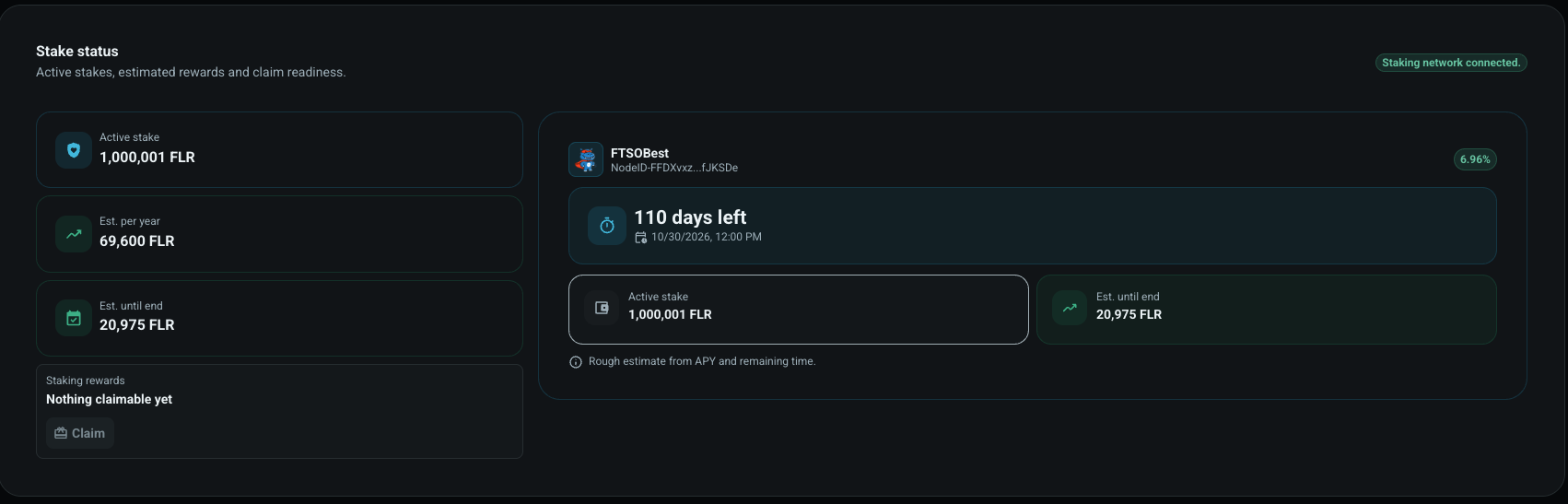
When you already have active stakes, FTSOBest shows the locked amount, rough yearly estimate, estimated amount until the stake ends, provider name, NodeID, remaining time and claim readiness. Reward estimates are informational and can change with APY, network timing and validator status.
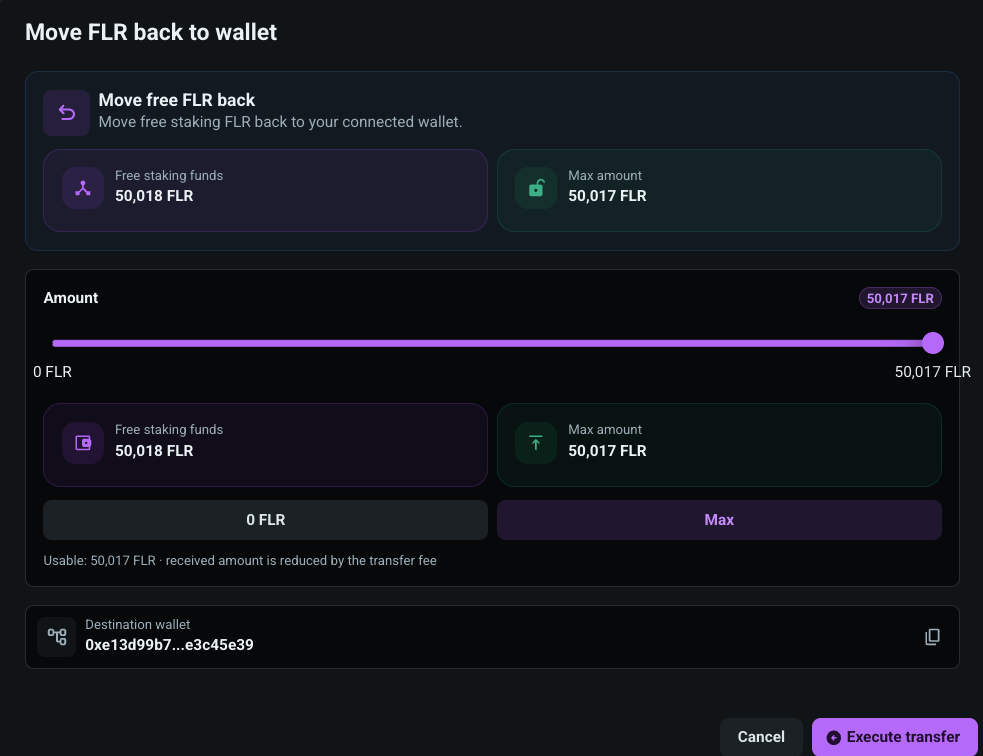
Free staking-wallet FLR can be moved back to your connected wallet. The withdraw dialog also uses a whole-FLR slider and shows the destination wallet before you sign.