FTSOBest के साथ FLR Staking
staking page पढ़ना, FLR को staking wallet में भेजना, validator चुनना और active stakes देखना।
अंतिम अपडेट: 13 जुल॰ 2026
Staking page wallet FLR, staking-ready FLR और active stakes को एक जगह दिखाता है। ऊपर के badges बताते हैं कि staking network reachable है या नहीं और 50K minimum के लिए पर्याप्त staking-wallet FLR है या नहीं।

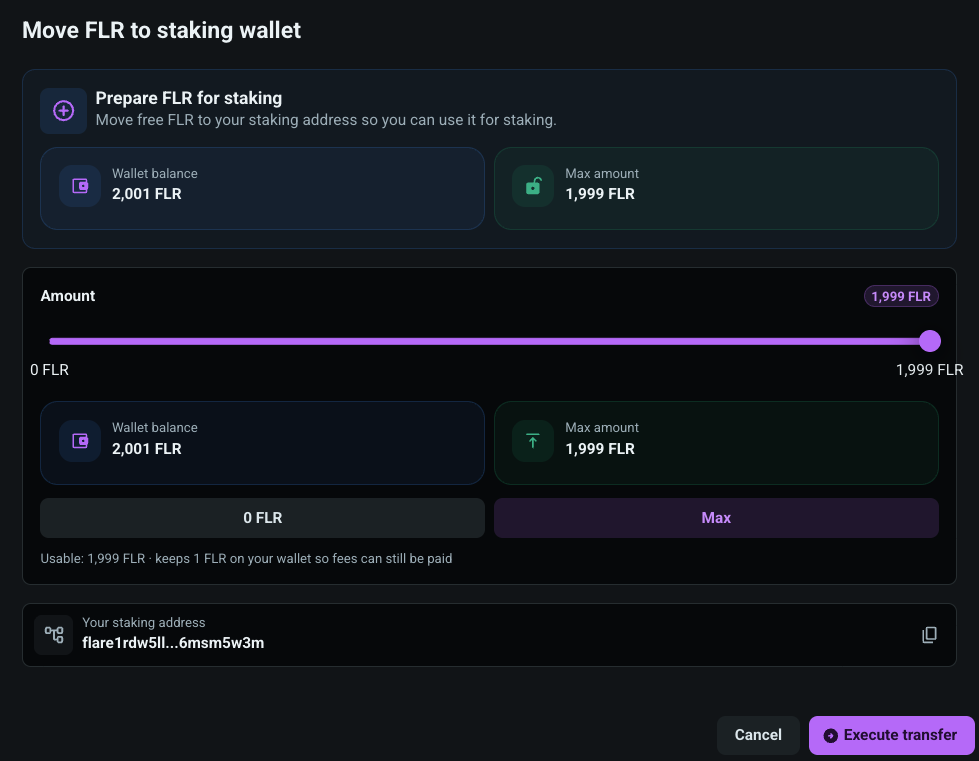
stake करने से पहले FLR आपकी staking address पर available होना चाहिए। Deposit FLR से free FLR wallet से staking wallet में भेजें। slider whole FLR values इस्तेमाल करता है और max amount round down करता है ताकि wallet में fee reserve रहे।
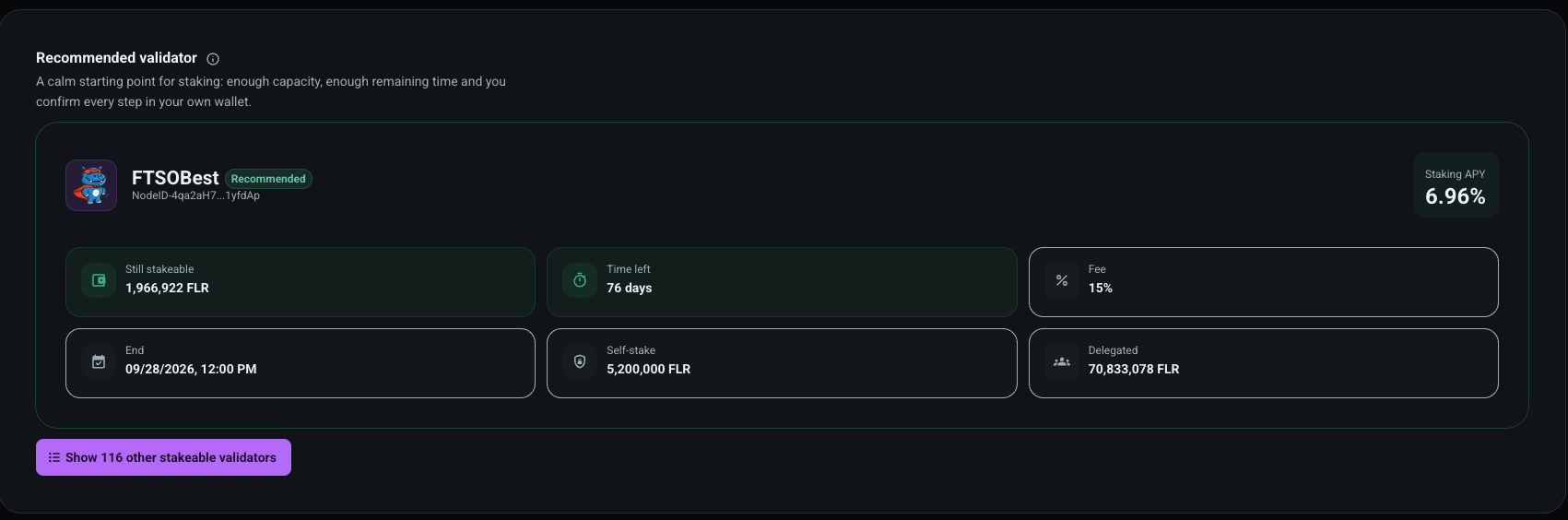
FTSOBest एक recommended validator दिखाता है। card available capacity, time left, fee, validator end, self-stake, delegated amount और APY दिखाता है। हर step फिर भी आपकी wallet में confirm होता है।
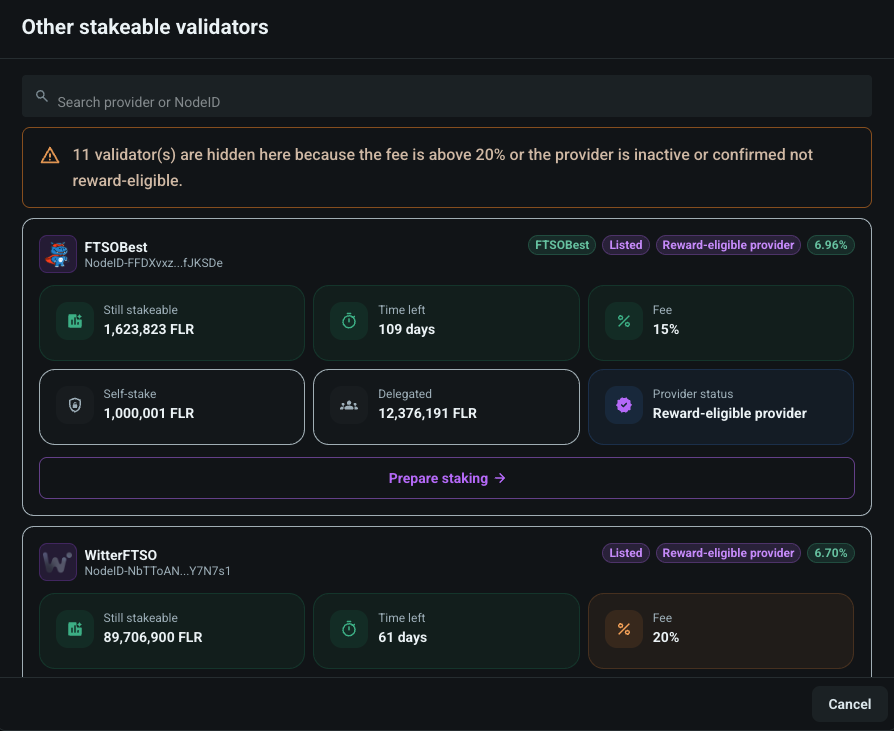
आप validator list खोलकर provider name या NodeID से search कर सकते हैं। high fee, inactive reward status, बहुत कम remaining time या कम capacity वाले validators hidden या blocked होते हैं।
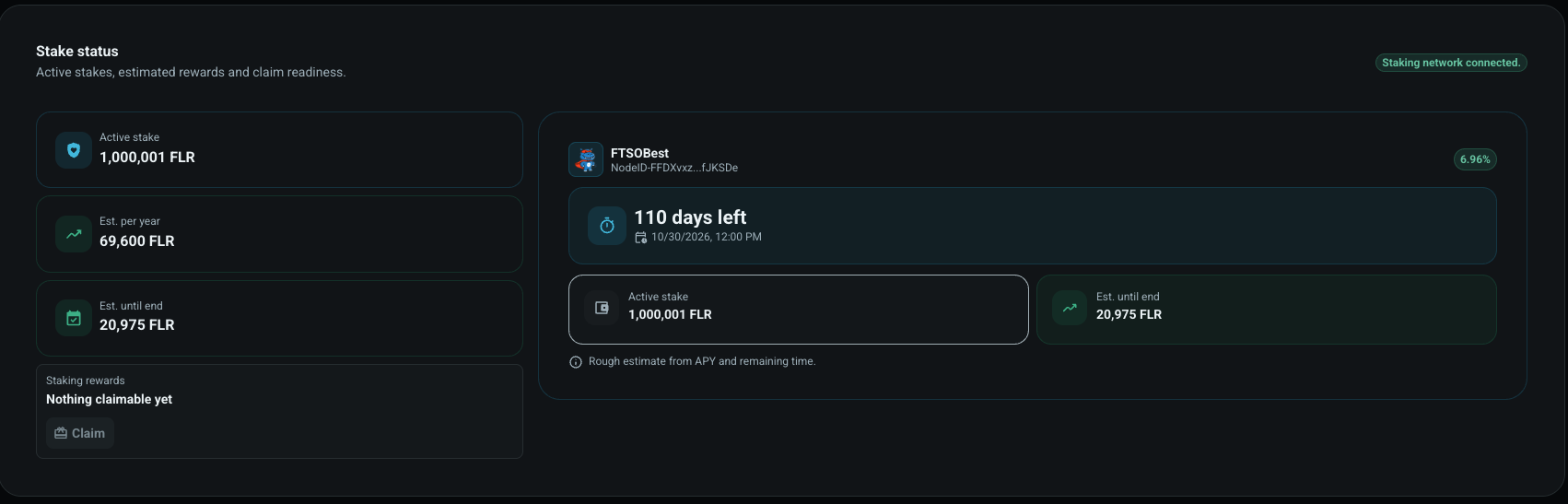
Active stake होने पर FTSOBest locked amount, rough yearly estimate, estimate until end, provider name, NodeID, remaining time और claim readiness दिखाता है। reward estimates बदल सकते हैं।
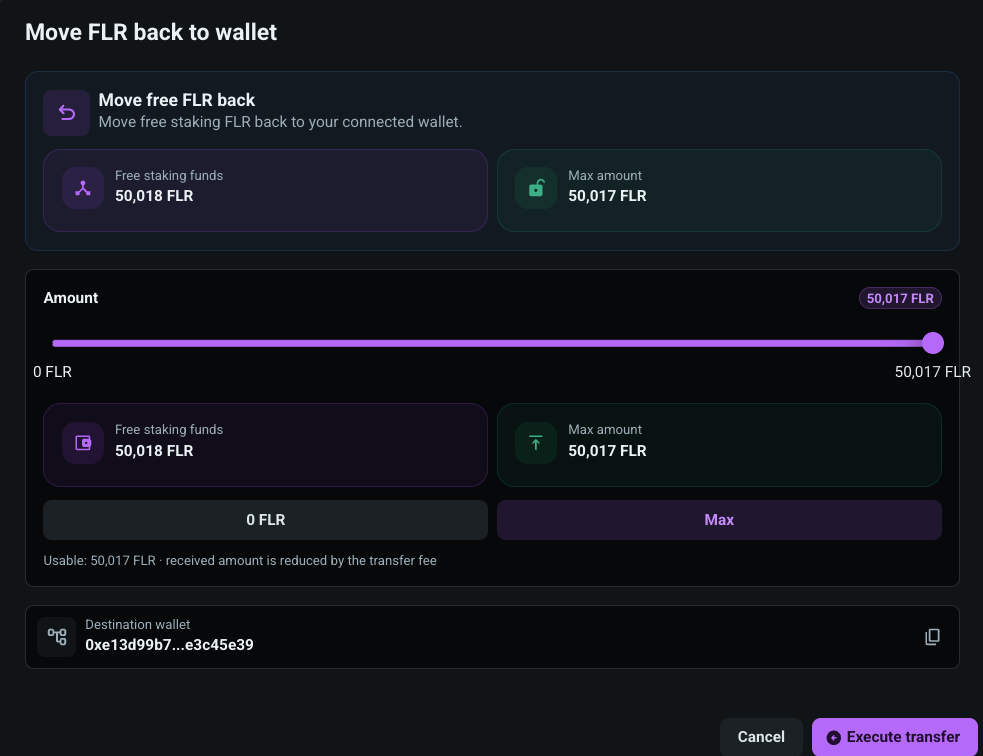
staking-wallet के free FLR को connected wallet में वापस भेजा जा सकता है। withdraw dialog भी whole-FLR slider इस्तेमाल करता है और sign करने से पहले destination wallet दिखाता है।